
Shopify Growth Blog

Importance of Shopify Experts in Building a Sea...
With simplicity and customization as the most crucial aspects for online buyers, Shopify experts have transformed the online retail scene. Shopify's user-friendly interface and numerous capabilities are intended to remove...
Importance of Shopify Experts in Building a Seamless Online Shopping Experience
With simplicity and customization as the most crucial aspects for online buyers, Shopify experts have transformed the online retail scene. Shopify's user-friendly interface and numerous capabilities are intended to remove traditional eCommerce hurdles. Shopify, the top eCommerce platform, matches today's diverse consumer needs and expectations. Online stores with user-friendly designs and customizable features keep customers interested and engaged. Shopify's integrated payment gateways enable businesses and users to conduct secure and frictionless transactions. Choose Shopify experts to create a Shopify store that shapes user experience. How Does Shopify Create Seamless Online Shopping Experiences? With eCommerce continuously evolving, it is important to offer smooth shopping experiences. As consumer expectations rise, businesses want robust platforms.Shopify provides tools and services that help businesses and consumers streamline their online purchasing experiences. Changing the Landscape of Online Shopping In recent years, technical improvements and customer preferences have altered internet buying. The online experience has become more seamless. It requires shoppers to prioritize ease, speed & personalization. This is where Shopify experts enter the picture. They adapt their strategies and digital storefronts to provide cutting-edge shopping experiences for customers. Hire certified Shopify experts developers: to improve the store's appeal, make it easier for customers to browse, reduce the likelihood of cart abandonment. Choosing the Right eCommerce Platform Choosing the correct eCommerce platform is an important decision for every business. With so many options accessible, Shopify is quickly becoming one of the most popular choices. Its adaptability makes it suitable for businesses of all sizes. It has an easy-to-use interface and a wide range of capabilities that may be utilized to create a smooth and attractive online buying experience. Impressive Features of Shopify Make the Count Shopify's multifaceted features are at the heart of its mission. These help improve online purchasing experiences. Thanks to its user-friendly interface, online stores can be easily customized to streamline the shopping experience. Online businesses may create branded, engaging environments by utilizing a vast collection of templates and themes. Furthermore, Shopify uses secure payment gateways to assure transaction security. Crafting a Seamless eCommerce Journey with Shopify Shopify enables businesses to enhance every part of the consumer experience. A customizable storefront enables businesses to express their distinct brand identities while catering to certain users' demands. Incorporating apps and connections into the platform improves functionality and allows businesses to fulfil the needs of their customers better. The checkout process is important in lowering cart abandonment rates. Shopify's streamlined checkout process minimizes friction points, making purchasing easier for customers. Furthermore, mobile responsiveness guarantees that shoppers enjoy a consistent and immersive purchasing experience across platforms. Impact of Shopify on Business Success Many Shopify success stories demonstrate how the platform helps businesses develop. Platform analytics and analytics tools provide significant insights into consumer behavior, enabling you to better your business. Businesses can also scale and adapt to different stages of expansion. Setting the Future of eCommerce Shopify remains at the forefront of eCommerce innovation, embracing technical advancements and client preferences. Because of its consistent commitment to innovation, online merchants using the platform can give customers exceptional shopping experiences. How Does Shopify Transform UX? 1. Personalization and Customization Personalization and customization are major trends on Shopify for altering the customer experience. Shopify enables businesses to provide individualized experiences to their customers. Businesses can attract clients by designing their storefronts to be unique and individualized. The tendency also extends to product suggestions, which enable businesses to suggest things based on previous purchases and behavioral trends. 2. Augmented Reality (AR) and Virtual Reality (VR) Integration Shopify's AR and VR technology integration allows customers to have a more immersive experience with online purchases. Shopify experts use AR and VR capabilities to help businesses provide customers with virtual interactions and allow them to see their items in a physical context. Visualization is essential while purchasing furniture, clothing, and cosmetics, considerably improving the shopping experience. 3. Mobile Optimization and Progressive Web Apps (PWAs) With mobile commerce on the rise, Shopify emphasizes mobile optimization and progressive web apps. Shoppers increasingly prefer shopping on their mobile devices, making Shopify's mobile-friendly interface crucial. PWAs are web applications that provide app-like experiences through a web browser, improving speed, dependability, and engagement while revolutionizing the mobile shopping experience. 4. Voice Commerce and Chatbots The proliferation of voice-activated gadgets and the incorporation of chatbots into Shopify sites signal a shift toward a more conversational commerce paradigm. It is possible to make purchases or communicate with stores using voice commands, which simplifies the shopping experience. As a result, AI-powered chatbots enable businesses to provide immediate, responsive, and personalized customer service based on each client's individual demands, ultimately improving their customers' overall buying experience. 5. Sustainability and Social Responsibility With consumers growing more conscious of environmental and social issues on a daily basis, Shopify has implemented features that emphasize sustainability and social responsibility. Shopify stores are an excellent method for businesses to promote sustainable products, exhibit ethical practices, and support charitable causes via online marketplaces. With rising customer demand for socially responsible brands, this trend coincides with the need to improve the consumer experience by creating an atmosphere that encourages a sense of purpose and authenticity among consumers. The Bottom Line Shopify has emerged as a crucial ally for businesses looking to provide seamless customer experiences while shopping online. Understanding the whole spectrum of functions, having a user-friendly design, and being adaptable offers firms an advantage in not only meeting but exceeding consumer expectations. To survive in the ever-changing eCommerce industry, businesses must leverage Shopify's comprehensive arsenal to drive development and cultivate long-term customer connections. Contact us to hire a Shopify expert if you want a top-tier Shopify store and end-to-end Shopify development services.
Read More
Effective Techniques for Shopify B2B Conversion...
Increasing website traffic is just the first step in digital marketing. You need to focus on turning those visitors into paying clients. If you want to make the most of...
Effective Techniques for Shopify B2B Conversion Rate Optimization
Increasing website traffic is just the first step in digital marketing. You need to focus on turning those visitors into paying clients. If you want to make the most of your internet presence, Shopify B2B Conversion Rate Optimization, or CRO, is the solution. We will discuss the significance of CRO in this blog, along with practical methods for raising conversion rates and optimizing business expansion. Importance of Shopify B2B Conversion Rate Optimization Revenue and business growth can be greatly impacted by optimizing Shopify's B2B conversion rate. A well-optimized website facilitates the purchasing process, lowers friction, and fosters trust in business-to-business (B2B) eCommerce, where the consumer journey is intricate and purchasing cycles are longer. Successful conversion rate optimization (CRO) tactics focus on particular buyer requirements, facilitating B2B clients' product discovery, assessment, and acquisition. Ultimately, spending money on CRO gives your Shopify B2B store a competitive edge by improving user experience, encouraging repeat business, and optimizing ROI. 1. Optimizing RO You can make more money from your current website traffic by raising your conversion rates. CRO enables you to maximize your present audience and marketing efforts rather than just concentrating on bringing in new people. 2. Enhancing User Experience CRO entails examining and refining your website's style, design, and user flow, among other components. Improving the user experience gives visitors a smoother journey, increasing their happiness and motivating them to act. How to Optimize Your Conversion Rates? Focus on developing a user-friendly experience that keeps visitors interested and guides them seamlessly toward a purchase if you want to maximize your conversion rates. Start by examining how customers interact with your website; find out where they become disengaged and fix those areas with better layout, quicker load times, and easier navigation. To determine what appeals to your audience the most, A/B test various components like CTAs, page layouts, and product descriptions. Conversion rates can also be significantly impacted by establishing trust through social proof, transparent return policies, and tailored suggestions. 1. A/B Testing Create two versions of a webpage or element and test them with various audience segments to carry out controlled tests. Determine which variation performs better in terms of conversions by analyzing the statistics. Iterate and optimize continuously in response to the outcomes. 2. Clear Call-to-Action (CTA) Create two versions of a webpage or element and test them with various audience segments to carry out controlled tests. Determine which variation performs better in terms of conversions by analyzing the statistics. Iterate and optimize continuously in response to the outcomes. Importance of Website’s Performance and Speed Optimization The speed and functionality of a website can enhance or ruin a user's experience. Pages that load slowly irritate users, increasing bounce rates and resulting in lost engagement opportunities. However, a smooth experience is guaranteed by optimized speed, which increases conversions and keeps users interested.Fast websites are also preferred by search engines, which results in higher SEO ranks, more natural traffic, and a competitive advantage. Speed optimization is more than simply a feature in the fast-paced digital world of today; it is essential for success. 1. Simplified Checkout Procedure To lower friction and boost Shopify B2B conversion rates, simplify and streamline your checkout procedure. Reduce the amount of steps needed, provide visitor checkout choices, and prominently display indicators of confidence, including secure payment icons. To meet the needs of the increasing number of mobile buyers, optimize for mobile devices. 2. Page Load Speed High bounce rates and abandoned carts might result from slow loading times. Use browser caching, minify code, and compress pictures to improve the speed of your website. To find areas for improvement, analyze and monitor load times on a regular basis. Significance of Persuasive and Engaging Website Content The foundation of any effective online presence is compelling and interesting content that draws people in and directs them to take action. Effective content connects with the audience's needs and wants, fostering a relationship that fosters trust and engagement, going beyond merely providing information. A website may turn curiosity into interest and interest into loyalty with the correct wording, making each visit worthwhile. 1. Strong Product Descriptions Write product descriptions that emphasize the advantages and special features of your products. Address consumer concerns, use persuasive language, and provide social evidence in the form of reviews and testimonials. Purchase decisions can be greatly influenced by an informative and well-written description. 2. Engaging Visuals To draw in visitors and highlight your goods or services, use top-notch photos, videos, and interactive features. Visual material builds a stronger bond with potential clients and aids in communicating the value proposition of your company. Conclusion The significance of Shopify B2B conversion rate optimization in digital marketing has been discussed here. You can increase conversion rates and propel business growth by putting into practice efficient strategies like A/B testing, distinct calls to action, website performance optimization, compelling content, and captivating images. Keep in mind that CRO is a continuous process that necessitates constant analysis, testing, and improvement. To get the most out of your website and convert visitors into devoted customers, spend money optimizing your conversion rates.
Read More
How To Sell Worldwide Via Shopify - A Complete ...
Selling products online has opened many opportunities for businesses to expand their reach and boost sales. Shopify, one of the best eCommerce platforms, has made it simpler for businesses to...
How To Sell Worldwide Via Shopify - A Complete Guide
Selling products online has opened many opportunities for businesses to expand their reach and boost sales. Shopify, one of the best eCommerce platforms, has made it simpler for businesses to sell products worldwide, regardless of their location. With Shopify's robust features and integrations, businesses can easily create an online store and reach customers worldwide. Here, we will explain how to sell worldwide via Shopify, from setting up your store to optimizing for international sales and everything in between. So, whether you're an established business or just starting, this guide will help you take your online sales to the next level. But first, let's discuss what Shopify actually is. What is Shopify? Shopify is a popular and reliable eCommerce website builder that everyone can use to create an online store or sell products on different platforms. They also offer point-of-sale software to use in physical stores. Shopify is an all-in-one solution that provides payment processing, inventory management, shipping discounts, and even loans to eligible sellers. With a monthly fee ranging from $5 to enterprise-level pricing, most of Shopify's features are included, but third-party apps may charge additional fees. Steps To Selling Worldwide Through Shopify Here, we will explain essential steps on how to sell internationally via Shopify: 1. Identify And Target International Markets When developing your Shopify store globally, it's essential to identify the best geographic markets to target. Shopify experts can help you analyze your store’s data to identify potential international markets where your business might thrive. If you don't have international traffic, Shopify experts can also assist in identifying the best markets to target based on consumer behavior and purchasing trends. To start, check the analytical data of your Shopify store, specifically the sessions by location report. This will help you to identify any international visitors and narrow down potential markets to investigate further. Shopify experts can guide you through this process, ensuring you make informed decisions about where to expand your store. You must target markets that are geographically close or share native language/cultural similarities. All in all, it is necessary to understand your customers when selling online. 2. Make A Localized Experience Once you understand which market you want to target, the next step is localizing consumer experience in these markets. Although there are numerous nuances to localizing your website, Shopify experts can help ensure your store’s language, currency, and pricing are adjusted to meet the needs of international customers. For instance, Shopify experts can assist with selecting and setting up apps like Auto Currency Switcher or Transcy for multi-currency and language support. Displaying content in the local languages: Well, content plays an essential role on your websites. This is because it helps your consumers better understand your products and services. Shopify experts can also help translate your content into local languages, making your products more accessible to international shoppers. Displaying prices in local currency: Do you know that many consumers prefer to shop for products on websites that cost in their local currency? This is why you ensure that the prices on your website are always shown in local currency. This can be done through conversion currency. Displaying correct details to the right consumers: Now you have your pricing and content localized, the next step is to ensure your target consumers see the right product and price, i.e., based on their locations. If you build a Shopify store, you can do this quickly with the help of apps. You can select an app according to your requirements. For instance, you can use Auto Currency Switcher or other multi-currency apps to display pricing based on your customer's location. Apps such as Transcy not only help with displaying content in local languages but also offer local currency options. Additionally, there are other translation apps available for you to explore. Making a localized experience for international shoppers increases their chances of purchasing from your store. To achieve better results, installing the Geolocation pop-up before any other promotional messaging or pop-ups is essential. For optimal performance, it is perfect to use a modal pop-up in the center of the screen, as this has been found to have the highest rate of acceptance from buyers. 3. Set Up Your Business To Accept International Payments Accepting payments is critical in differentiating an eCommerce store from a regular website. To develop your business across borders, you must ensure your store is configured to accept international payments. Shopify experts can help you choose the right payment gateways to facilitate international sales, such as PayPal and Stripe. They can also assist with configuring your Shopify store to accept multiple currencies, which is crucial for targeting international markets. You might also like: Most Popular Payment Integrations APIs in 2023 4. Provide International Shipping The essential part of the buying experience is how your consumers will receive their products. Typically, international shipping is going to be more costly, so consider the below strategies to remove friction for your new shoppers: To ensure a smooth shipping experience, you must check the prices and options offered by your chosen carrier. Shopify experts can help you evaluate shipping options, ensuring that you select the best carrier for international deliveries. They can also assist with setting up rules for international shipping, such as calculating taxes and handling customs fees, which can be complex but are crucial for a seamless shopping experience. Transparency is critical to building trust with buyers. Shopify experts can help communicate shipping speeds and costs clearly on your website, ensuring that international buyers know what to expect. Consider adjusting your product prices for the target audience to offset the cost of offering cheaper shipping options. When shipping to certain countries or regions, it's essential to be aware of tax obligations. For example, if you're shipping to the United Kingdom and your package is valued at under £135, you must collect and pay VAT to the UK government. By being mindful of these details, you can provide a better experience for your consumers and avoid any unnecessary complications. 5. Market And Advertise If you have taken the time to localize your online store for international visitors, also remember to localize your marketing efforts. Shopify experts can assist with running targeted ads on platforms like Facebook and Google, ensuring your ads are optimized for international customers. They can also help create localized content, ensuring your messaging resonates with diverse international markets. Make the buying process simpler for new consumers, especially those from different countries or regions, to target international buyers through various advertising channels. For example, if you're using Facebook Ads Manager, split your ads into different campaigns for new buyers. In addition, make sure that your copy and imagery are localized and that the destination URLs reflect the international domains set up for each market. Apart from Facebook, there are other online channels. Invest time in localizing your advertising for these channels to target customers. If you use dynamic retargeting with Facebook or Google, ensure your campaigns display the local prices and language preferences of buyers. Make a product feed from Shopify that supports multiple currencies and languages. You can use DataFeed Watch, or Multiple Google Shopping feeds for Google. Selling Worldwide On Shopify Plus Shopify Plus is perfect for large-scale businesses as it offers various tools to enhance global selling capabilities. In addition, it includes all the standard features of Shopify for international selling, such as currency, language, pricing, and shipping settings. With Shopify Plus, you can build up to 9 expansion stores, making it simple to duplicate your store for each market as part of your international selling strategy. While this approach requires additional effort, careful planning, and consideration, it ensures that you have complete control over each region where you want to sell your products. Multi-Store Selling Globally With Shopify If you want to sell your store's products worldwide through Shopify, you have two options: Use a single-store Create multiple stores dedicated to each region you want to target However, if you choose the multi-store approach, you need to consider some essential things. One of the main benefits of having a separate Shopify store for each country or region is full control over everything in the store setup. This means you can offer unique products and tailor your campaigns, imagery, and style to each market. In addition, having control over the content and copy allows you to adjust your tone of voice to effectively target specific international markets. While it is possible to have unique products and content in one store, it can be challenging to manage if everything is mixed in one Shopify account. You can run multiple non-Plus stores and use geolocation technology to redirect them based on the user's location. If you use Shopify Plus, you can have up to 9 additional stores at no extra cost. Conclusion Selling worldwide via Shopify requires careful planning and execution. This guide has highlighted some essential steps that should be taken to ensure success, including identifying international target markets, making it easy for international customers to pay, setting up international shipping, localizing your store, finding and validating product ideas, setting up an online store, and using advertising. By following these steps and leveraging the expertise of Shopify experts, you can successfully sell worldwide through Shopify. Whether you're looking to expand into new international markets or simply want to improve your existing global presence, Shopify experts can guide you through every step of the process. If you need any help, don’t hesitate to reach out to us!
Read More
Effective Email Design: Boost Engagement and Co...
Email marketing has become popular for businesses to engage with their audience and drive conversions. But, with the increasing volume of emails in our inboxes, businesses need to stand out....
Effective Email Design: Boost Engagement and Conversions
Email marketing has become popular for businesses to engage with their audience and drive conversions. But, with the increasing volume of emails in our inboxes, businesses need to stand out. This is where effective email design comes in. A well-designed email catches the recipient's attention and guides them towards taking a desired action, resulting in increased engagement and conversions. In this write-up, we will explain the essential elements of effective email design and how it can significantly boost engagement and conversions for your business. Whether you’re a business owner or an eCommerce email marketing agency, these insights will help you achieve remarkable results. What is Email Design? Email design is crafting attractive and impactful email messages to achieve marketing objectives. This involves choosing fonts, colors, images, and layouts to improve engagement and click-through rates. Good email design grabs people's attention and effectively conveys messages. It is similar to decorating a home, where an interior designer considers various aspects such as size, color, layout, and furniture arrangement. Importance of Effective Email Design Email design plays a pivotal role in the success of your email marketing campaigns. A well-designed email grabs the reader's attention and conveys your brand's professionalism and credibility. When someone opens an aesthetically pleasing email, they are more likely to engage with its content and take the desired action. For an email marketing agency, one of the key advantages of effective email design is improved engagement rates. Emails that are attention-grabbing and easy to navigate encourage recipients to spend more time reading and interacting with your message. This can increase click-through rates, website traffic, and higher conversions. Elements of a Well-Designed Email The key elements of a well-designed email are: Compelling subject line: A strong subject line grabs attention and attracts recipients to open your email. It should be concise, personalized, and relevant to the content of the email. Clear and concise copy: The body of your email should be easy to read, concise, and scannable. You should break up your text into short paragraphs, bullet points, and subheadings to make it more easily digestible. Eye-catching visuals: Incorporating visually appealing elements such as images, infographics, and videos can grab the reader's attention and enhance the overall design of your email. Strategic use of colors and fonts: Select colors and fonts that align with your brand to evoke desired emotions. Consistency in color schemes and font choices helps create a cohesive and professional look. Best Practices for Email Design To ensure your emails are attention-grabbing and effective, here are some best practices that you should follow: 1. Keep it simple: Avoid cluttering your email with excessive graphics, text, or multiple calls to action. A clean and simple design helps the recipient focus on the main message and call to action. 2. Use responsive design: Many emails are opened on mobile devices, so it's important to design responsive emails that adapt to various screen sizes. Test your emails across various devices to ensure optimal display. 3. Optimize for quick loading: Emails that take too long to load will likely be ignored or deleted. Optimize your email design by minimizing file sizes, using web-safe fonts, and optimizing images. 4. Include a clear call to action: Every email should have a clear and compelling call to action that tells the recipient what you want them to do next. Use actionable language and make the call to action prominent. 5. Personalization: Use the recipient's name in the email to create a more personalized experience. Tailor the content to match their interests or previous interactions whenever possible. 6. Use a strong opening: Grab the reader's attention with a compelling opening line or statement. This helps to create intrigue and encourages them to continue reading. 7. Proofread and test: Always proofread your emails for spelling and grammar errors before sending them. Additionally, test your emails across different email clients and devices to ensure they render correctly. 8. Segment your audience: Break your email list into smaller segments based on demographics, interests, or past interactions. This allows for more targeted and relevant content, which can increase engagement and conversion rates. 9. Include social sharing buttons: Add social sharing buttons to your emails so readers can easily share your content on social media. This way, more people can see your brand, and it can increase your visibility. 10. Monitor and analyze: Use analytics tools to observe your emails' performance. You can see how many people are opening your emails and clicking on links and how many people are taking action based on your emails. This will help you determine what's working and what's not so you can improve. By following these best practices, you can create well-designed, visually appealing, easy-to-read, and engaging emails for your audience. Conclusion Effective email design is crucial for boosting engagement and conversions in email marketing campaigns. By implementing the above-mentioned points, you can create visually appealing emails that capture your audience's attention, drive clicks, and ultimately achieve your marketing goals. For businesses and email marketing agencies, these strategies can help maximize campaign success. Remember to continuously test and optimize your email designs to ensure they resonate with your audience and deliver maximum results. So, apply these strategies today to take your email marketing to the next level. We hope you enjoyed reading this blog. Stay tuned to our more blogs, too.
Read More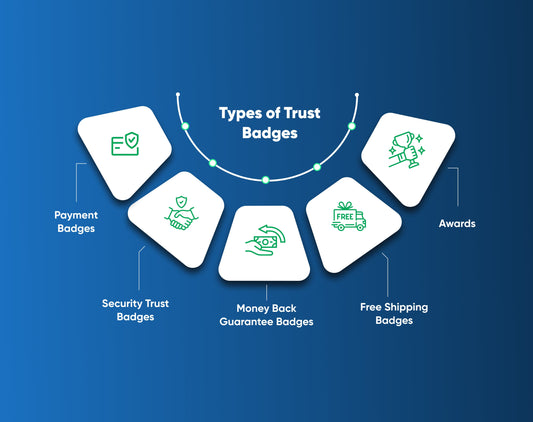
5 Types of Trust Badges to Boost Conversion Rat...
Building trust with online consumers is crucial to increasing your Shopify B2B conversion rates in today's digital landscape. That’s why trust badges are important. They instill confidence in potential buyers,...
5 Types of Trust Badges to Boost Conversion Rate Optimization
Building trust with online consumers is crucial to increasing your Shopify B2B conversion rates in today's digital landscape. That’s why trust badges are important. They instill confidence in potential buyers, assuring them that their sensitive information is safe and they are dealing with a reputable brand. These small visual cues can influence a customer's decision-making process, ultimately improving conversion rate optimization. What is a Trust Badge? A trust badge is a symbol or logo displayed on websites to develop trust and credibility with visitors. Usually, it is placed on the checkout or payment page to ensure users that their personal information will be handled safely. Trust badges are symbols linked to external services that verify a store's trustworthiness. The agencies that offer these services may charge a fee, but the investment could lead to happy and trusting customers. Why Are Trust Badges Important? Trust badges are what their name suggests - they help to build trust with visitors. Here are some reasons why trust badges are essential: Credibility: Trust badges build credibility with visitors. When users see recognizable trust badges displayed on a website, it instills confidence that the website is reliable, reputable, and trustworthy. Security: Trust badges assure users that their personal and financial information is safe and secure. Increase Shopify B2B Conversion Rate: Trust badges significantly impact Shopify B2B conversion rates. By displaying trust badges on websites, users are more likely to complete a purchase or provide their information confidently. Customer Satisfaction: Trust badges contribute to overall customer satisfaction. When users feel secure and confident in their interactions with a website, they are more likely to have a positive experience. This increases customer satisfaction, repeat purchases, and positive word-of-mouth referrals. 5 Different Types of Trust Badges Here are five types of trust badges you can use on your website. 1. Payment Badges This is an important type of trust badge you can use on your website. Payment trust badges have two functions. First, they provide valuable information about the accepted payment methods to your customers. Second, they align your company with well-known brand names, which effectively convey an endorsement from established companies such as Visa or PayPal. Accepted payment icons can serve as a type of trust badge available for free. Payment providers are vested in validating your website, so they often offer this asset at no cost. Always look for trust badges that are available for free for every payment method you accept. Some popular payment options include Visa, Mastercard, American Express, Google Pay, Apple Pay, and PayPal. To increase trust further, you can display payment badges on checkout pages near credit card detail forms or other payment fields. 2. Security Trust Badges Security trust badges are the most common type that helps boost Shopify B2B conversion rate optimization. These are designed to assure customers that their personal and financial information is secure. These badges often indicate that the website uses secure payment gateways, SSL encryption, and data protection measures, giving visitors peace of mind when making online transactions. 3. Money Back Guarantee Badges If you want to demonstrate that your company provides excellent service without relying on a third party's endorsement, there is a simple solution. You can create or download 100% guaranteed badges for free and display them on your website. These badges help to alleviate customer concerns about online purchases, particularly the risk of losing money. By featuring a money-back guarantee badge, you assure your customers that you care about their satisfaction and are committed to providing high-quality service. All in all, using guaranteed badges helps build trust with your customers and inspires them to make purchases confidently. 4. Free Shipping Badges This type of badge tells your customers that you offer free shipping. Like money-back guarantee badges, the free shipping badge also helps you build customer trust. You can display this badge anywhere on your website. 5. Awards If your eCommerce site has won any awards, don't hesitate to show them. Adding such awards can build trust with your customers. If you can add it with links that lead to more details about awards, you can add even more credibility and boost Shopify B2B conversion rate optimization. Where Should You Put Trust Badges? Here, we have mentioned a few key places where you should consider putting trust badges: Home Page: Display trust badges on your homepage to establish trust with visitors immediately. Place them near essential elements such as the header, footer, or navigation menu. Checkout Page: The checkout process is an important stage where customers need reassurance. Display trust badges near the payment options or the Proceed to Checkout button. Product Page: Place trust badges near the Add to Cart or Buy Now buttons. This helps in convincing the customers to make the purchase. Contact and Support Page: Including trust badges on your contact and support pages can help customers feel secure when submitting personal information or reaching out for assistance. Remember, it's essential to use trust badges from reputable sources relevant to your industry or the security measures you have in place. Avoid cluttering your website with too many badges, as this can have the opposite impact and make your site look untrustworthy. Conclusion Using trust badges on your website is a powerful way to gain users' trust and help alleviate their concerns about online purchases. This is especially important for ecommerce stores looking to boost their Shopify B2B conversion rate and sales. By using trust badges, you can establish your store as a credible and trustworthy place to shop, which is priceless in today's competitive market. We hope you enjoyed reading this. Check out our other blogs too. If you want to hire conversion rate optimization services, don’t hesitate to contact us. We are a reputed CRO agency dedicated to offer solutions tailored to our clients.
Read More
Mastering Wix Website Design: Essential Tips & ...
Mastering Wix website design can be a game-changer for your online presence. But it can seem daunting, especially if you're new to the platform. With so many tools and features...
Mastering Wix Website Design: Essential Tips & Tricks
Mastering Wix website design can be a game-changer for your online presence. But it can seem daunting, especially if you're new to the platform. With so many tools and features available, it's easy to feel overwhelmed. But fear not; we're here to help! In this write-up, we'll share tips and tricks to help you master Wix website design. Whether you're building a website for personal use or your business, these tips will help you create a professional-looking site that stands out. So, let's begin! Understand Wix Website Design Wix is a website design platform that gives you many options to build your website. With drag-and-drop technology and customizable design elements, you can use the Wix Editor to design your website per your preferences. Furthermore, you can use Wix ADI, an Artificial Design Intelligence tool, to create a fully designed website. If you're not confident about tackling this on your own, hiring a web design company could make all the difference. You can hire a Wix web designer from Wix's marketplace if you need help designing your site. Wix provides various features and tools for online stores, scheduling, portfolios, events, blogs, and restaurants. They also offer customization options, features for security and accessibility, and marketing solutions to drive more traffic to your website. 9 Web Design Tips For Outstanding Website Here are some web design tips for your Wix website: 1. Know your website layout. Understanding the layout of your website is essential as it forms the foundation of your entire design scheme. It is crucial to consider how you want to structure your setup to determine the important decisions you will make as you build your site.To divide your site into content sections: You can use Strips that split your site into full-width horizontal rectangular blocks. Or, use Wix Columns that divide the area into vertical sections. Each option offers a slightly different browsing experience and influences how your site visitors interact with your content. You can even integrate strips and columns on a single page if you feel creative. 2. Customize your website colors that match your site's overall vibe. In web design, colors are pivotal and are more than just blue, green, or pink. They generate the whole atmosphere of your site and convey a message visually instead of textual. Simply put, colors determine your website's overall appearance, so you have to select them wisely. ALSO READ: Psychology of Colors in Marketing 3. Elevate your page with scrolling effects. Website backgrounds are no longer just static elements. They can be dynamic, eye-catching, and greatly enhance your site's overall design. A professional web design company might recommend parallax scrolling effects to add a layer of dynamism to your website's background or certain sections. Explore the stunning scrolling effects in the Wix Editor and see how they can completely transform your site's browsing experience. 4. Upload your own fonts. Wix follows the motto of "Your website, your way,, "meaning every element of the web design, including colors, images, and fonts, can be customized to meet your branding and design vision. The Wix Editor offers a wide range of fonts, but if you can't find the one that suits your requirements, you can easily upload your fonts and use them as your preference. 5. Resize various elements. If you want your Wix website to look great and be easy to use, it's important to redesign certain elements like the page layout, color scheme, font choices, and images. For tailored recommendations, consulting a web design company could ensure your site aligns with user expectations. 6. Add professional photos. High-quality visuals are crucial for professional web design. However, hiring a photographer can be quite expensive for small businesses on a tight budget. But don't fret; compromising is not the only option. With the Wix Editor, you can access a wide selection of professionally shot and edited images from Bigstock, a leading image bank in the market. 7. Make your galleries dynamic with hover effects. It's important to make site visitors feel like they are being catered to when they browse a website. One way to do this is by incorporating hover effects that respond to the cursor's movements into your web design. A seasoned web design company might also suggest integrating these interactive elements to elevate your visitors' browsing experience. 8. Beautify your website with video backgrounds. Adding video backgrounds is the next important tip to make your site more beautiful. They are visually striking but do not necessarily dominate the entire design. They can be abstract or depict a specific situation, and they immediately create an unmatched impression. Of course, video backgrounds may not suit every website topic or target audience. However, if they work well with your website, you should try them! 9. Highlight your works with a slideshow. The Slideshow feature is a powerful tool for your website. This allows you to highlight important content on your site visually. Whether it's upcoming events, new blog posts, or products on sale, the Slideshow feature can help you direct your visitors' attention to where you want it. It's like a stage where you can spotlight your content and make it stand out. With the Slideshow feature, you can easily customize your slides' content, making it easy to update and keep your website fresh. Conclusion Mastering Wix website design can be a game-changer for businesses and people looking to develop a strong online presence. By following the tips mentioned above or partnering with a reliable web design company, you can take your website design to the next level and create a site that is visually stunning but also functional and user-friendly. From optimizing for SEO to using the right colors and fonts, these tips can help you build a site that stands out from the others and attracts more visitors. So, whether you're a small business owner or just looking to build your brand, mastering Wix website design is worth the effort.
Read More
Optimizing Shopify Store Speed: Best Practices ...
Speed is everything in the eCommerce world. According to Google, more than 50% of visitors will abandon your site if it takes 3 or more seconds to load. A fast...
Optimizing Shopify Store Speed: Best Practices and Tools
Speed is everything in the eCommerce world. According to Google, more than 50% of visitors will abandon your site if it takes 3 or more seconds to load. A fast Shopify store offers a better user experience and boosts your search engine rankings, improving your Shopify B2B conversion rates. The faster your site, the happier the users, and the lower your bounce rates. So, if you wish to rank at the top of Google search results and boost your sales, improving your store’s speed is a great way to begin. Your website’s performance directly impacts your website’s ability to convert visitors into customers. It can be difficult to know where to begin. That’s why we have curated this handy guide with practical tips and tools to help you optimize your Shopify store speed. Tips & Tools to Optimize Shopify Store Speed 1. Choose a Lightweight Theme Choosing a lightweight Shopify theme may help you optimize your store speed. This will put your website in a great position from a performance standpoint. Some themes might come with unnecessary elements, slowing down your site. On the contrary, a lightweight theme will set your store up for better performance. Here are a few themes you might want to consider if speed optimization is at the top of your mind. Create Theme (1.1 FCP, 7.8 TTI) Toy Theme (1.1 FCP, 7.7 TTI) Warm Theme (1.9 FCP, 7.8 TTI) Light Theme (1.1 FCP, 7.8 TTI) Outdoors Theme (1.1 FCP, 8.1 TTI) Source: You can also optimize your Shopify site speed by compressing and reducing image sizes, avoiding GIFs, and enabling lazy loading. 2. Utilize Lazy Loading for Images Lazy loading is an image optimization technique that loads only the images visitors see initially and delays loading other parts. Normally, all images on a page loads at once. However, with lazy loading, all images don’t load at once but only as a user scrolls down the page. This speeds up your Shopify store since there are fewer elements to load. There are many ways you can enable lazy loading: Manual Download the LazySizes JS file and edit the code (only if you’re good at coding). Third-Party Apps You can use third-party apps like TinyIMG to enable lazy loading. For example, if you have a product page with 40 images, you can use lazy loading to optimize page load speed. 3. Optimize Images Unoptimized images consist of big files that may take longer to load, reducing the page speed. So, if you want to accelerate your site performance, optimizing the images, including but not limited to product photos, logos, headers, icons, and blog post images is best. Here are a few easy ways to optimize images: Compress images Shopify has a built-in compression tool that automatically compresses your images. It even converts them to the WebP format. However, you must resize and crop images before uploading for the fastest load times. You can use Photoshop or TinyIMG app to compress images manually or automatically. Choose the right image field type Use the right file format. Shopify recommends the following: JPEG for blog posts and product images PNG for logos and borders SVG for graphics due to its inherent scalability without loss of resolution Change images to the recommended size Instead of using oversized images, it is always better to crop it to the apt dimensions. Ensure the images are responsive and do not exceed 20 MB or aren’t bigger than 4472 x 4472 pixels. For more details, check out the Shopify image size recommendation guide. Optimize GIFs If not optimized properly, GIFs may hinder your site's speed. Here are a few ways to handle GIFs: Shrink GIF file sizes using lossy compression Convert them to HTML5 or MP4 files Replace them with static images 4. Leverage Browser Caching Caching means storing copies of files in a cache (temporary storage location) so that they can be accessed more quickly. It allows certain items like images, JavaScript, PDFs, and CSS to be stored locally within users’ browsers. This means they don’t have to re-download the content when viewing the same resource multiple times, significantly reducing load times for future visits. You can use Shopify apps like Cache Killer to manage cache simply and effectively. 5. Minimize HTTP Requests HTTP requests are how browsers and web servers communicate. It includes buttons, graphics, or code files. The more requests, the slower the site. Here are a few ways to reduce the HTTP requests: Combine inline your CSS scripts Use inline JavaScript for smaller snippets Combine all JavaScript files Remove unnecessary or heavy plug-ins Delete unnecessary images Optimize all images Remove not-so-important buttons Convert images to Base64 code In addition, you must also avoid creating redirect loops on your Shopify store as it may also reduce Your site speed. 6. Enable Accelerated Mobile Pages (AMP) More than 50% of shoppers use smartphones to make a purchase and expect the site to load within 3-4 seconds. Therefore, your store must be optimized for mobile users unless you want to decrease your Shopify B2B conversion rate. As per a study, users read AMP (Accelerated Mobile Page) content for longer than the standard web content. AMP is an open framework for publishers to build quick loading web pages for mobile devices. If you have a Shopify store, you can install AMP apps like AMP by AMPify or AMP by Shop Sheriff. 7. Explore Shopify Speed Optimization Apps It’s a great idea to explore Shopify speed optimization tools like PageSpeed Optimizer or Shopify Booster Theme. These let you enhance various store elements for better speed 8. Regular Performance Audits Ongoing monitoring is crucial for maintaining your store’s optimal speed. You can leverage tools like Google PageSpeed Insights and GTmetrix for regular audits. These tools highlight speed metrics and offer recommendations for improving page load speed. The Bottom Line In the fast-paced eCommerce world, your Shopify store's speed matters more than ever. If you’re looking to optimize your Shopify store’s speed, you’re in the right place. Choose a fast theme, optimize images, implement browser caching, and more for page speed optimization. Having an agile Shopify store is important to increase Shopify B2B conversion rates and rank at the top of Google search engine results. We have compiled a few tips & tools to help you increase your site speed, lower the bounce rates, and increase your conversions. Every user deserves the best shopping experience, and a site that loads quickly offers them just what they need! A fast site elevates your rankings, improves crawlability, and helps increase your revenue. So much for optimized store speed, right? We hope that this guide was helpful and that you were able to learn a few important things and apply them to your Shopify store. For more such blogs, stay tuned. For any queries, get in touch with us.
Read More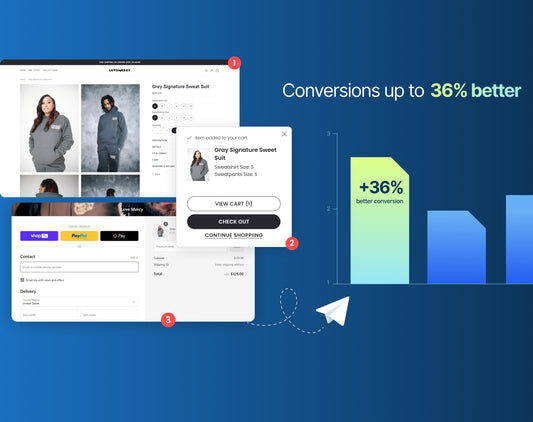
Impact of Site Navigation on Shopify B2B Conver...
How users navigate your website can make or break your Shopify B2B conversion rates. Site navigation isn't just a structural necessity - it greatly impacts your conversion rates.Learn the impact...
Impact of Site Navigation on Shopify B2B Conversions
How users navigate your website can make or break your Shopify B2B conversion rates. Site navigation isn't just a structural necessity - it greatly impacts your conversion rates.Learn the impact of site navigation in driving conversions. With this, the blog also offers insights into creating an intuitive shopping experience that will help you turn visitors into customers. Site Navigation: An Overview What is site navigation? It is the roadmap to guide users through your site. It includes menu structures, links & pathways, allowing visitors to move conveniently from one page to another.Effective site navigation ensures: ease for shoppers to find the information or products they seek minimized frustration maximized engagement A well-designed navigation system improves UX. When users easily find what they need, they are more likely to stay longer, explore more products & make a purchase. This directly impacts your Shopify B2B conversion rates, as a smooth navigation experience reduces the bounce rates. Understanding how users behave on websites is important for creating effective site navigation. Here are a few tips that may come in handy: Clear and simple pathways Easy access to popular categories Quick search options Logical grouping of related products You can create an intuitive shopping experience by designing your navigation according to user preferences. Site Navigation & Shopify B2B Conversion Rates: The Relationship Site navigation is directly proportional to conversion rates. When users have a good experience browsing your site: They are more likely to convert. They are more likely to take the desired action - make a purchase, sign up for a newsletter, or download a resource. An easy user experience builds trust and confidence in your brand. When people can easily find what they’re looking for, they are more likely to believe that your site is well-organized and trustworthy. And this further leads to higher conversion rates, as users are more willing to complete their purchases.On the contrary, if your site has complex or confusing navigation menus, it may frustrate users, leading them to abandon their shopping carts or entirely leave your site.94 out of 100 times, the users first impressions of a website are design-related - poor navigation is often cited as a top reason for abandoning a site. Therefore, optimizing your site navigation is important for maintaining and increasing conversion rates.Studies have shown a strong correlation between improved navigation and higher conversion rates. For instance, a well-known case study involving a major online retailer revealed that simplifying site navigation led to a 20% increase in Shopify B2B conversion rates. Such examples highlight the importance of investing time & resources into refining your site’s navigation. Key Elements of Effective Site Navigation Creating effective site navigation involves the following key elements that work together to provide a seamless UX: A clear and logical hierarchy and structure of your navigation help users understand the website layout and easily locate what they need.Well-defined categories with subcategories that make sense from a user’s perspective. Balancing breadth and depth to offer a broad range of categories to cover all your products. Ensure that users don’t have to click through multiple layers to reach their desired product. A good rule of thumb is to keep the navigation shallow enough that users can reach any page within three clicks. A search bar that delivers accurate results can significantly enhance the UX. Autocomplete suggestions and filters help users find exactly what they’re looking for quickly and efficiently. Optimizing navigation for mobile devices - with more than 50% of eCommerce traffic coming from mobile, ensuring your site’s mobile-friendly navigation is essential. This means designing responsive menus, using touch-friendly elements & no excessive scrolling or zooming. How to Create an Intuitive Shopping Experience? Here are a few steps on how you can improve UX: Understand the needs, preferences & pain points of your target audience. Then, use this knowledge to design navigation, ensuring it aligns with how your customers think and shop. Test your navigation elements regularly to spot potential issues. Collect user feedback for improvements. A/B test to compare different navigation structures to see which performs better. Personalization is another powerful tool in creating an intuitive shopping experience. For example, display categories or products that users have previously interacted with. This will improve their shopping experience, increasing the likelihood of making a purchase.Visual cues and labels are also important in guiding users through your site. Ensure that you emphasize the most important navigation elements and downplay less important options. Tools & Techniques for Optimizing Site Navigation Optimizing site navigation is an ongoing process that requires the right tools & techniques. Top 2 tools for understanding how users interact with your site: 1. Heatmaps 2. Analytics Analyzing which areas of your navigation receive the most clicks and which are overlooked allows you to make informed decisions about improving the layout of your site. Here are three popular techniques for optimizing navigation: 1. A/B Testing By testing different versions of your navigation structure, you can identify the most effective design for driving conversions.For example, you might test whether a horizontal or vertical menu performs better; whether a dropdown menu or a mega menu increases user engagement, and more. 2. User Testing Observing real users as they navigate your site may help. This firsthand feedback is important for making targeted improvements to your navigation. 3. Conversion Rate Optimization Professional CRO services provide expert analysis & recommendations to help refine your navigation structure, ensuring it’s best optimized for conversions. Investing in these services may bring significant returns by improving your site’s overall UX & boosting Shopify B2B conversion rates. Common Mistakes to Avoid in Site Navigation While optimizing site navigation is essential, it’s equally important to be aware of common pitfalls that can undermine your efforts. Here are a few mistakes to avoid: 1. Overcomplication A navigation menu that tries to do too much. For example, including too many categories or subcategories may confuse users, making it difficult for them to find what they’re looking for. 2. Neglecting Mobile Users Ensure that your mobile navigation is as intuitive & user-friendly as your desktop version, with touch-friendly buttons and a layout that’s easy to navigate on smaller screens. Finally, it’s important not to rest on your laurels. Site navigation is not a set it forget it element of your website. As your product offerings grow and as you gather more user data, you should keep updating your navigation regularly to ensure it continues to meet user expectations. The Bottom Line Site navigation directly impacts UX & Shopify B2B conversion rates. Understanding the relationship between the two and implementing best practices for creating an intuitive shopping experience can significantly enhance your eCommerce performance.Investing in tools/techniques for optimizing navigation & avoiding common mistakes will ensure that your site remains user-friendly and drives conversions. Conversion Rate Optimization services are also valuable as they help you maximize the potential of your site’s navigation, ultimately boosting your bottom line.Take time to evaluate your current site navigation & gather user feedback to make necessary adjustments. The effort you put into creating an improved UX will pay off in the form of higher Shopify B2B conversion rates, happier customers, and a more successful eCommerce business.
Read More
WordPress to Shopify Migration: A Complete Guide
Businesses migrate from WordPress to Shopify because, as they scale, WordPress may not meet their needs. WordPress has long been a popular platform for creating online stores and websites. However,...
WordPress to Shopify Migration: A Complete Guide
Businesses migrate from WordPress to Shopify because, as they scale, WordPress may not meet their needs. WordPress has long been a popular platform for creating online stores and websites. However, it has limitations and may not be able to offer what a business requires at later stages. When business needs are not met, Shopify becomes a savior. It offers robust features like improved UX, responsive themes & better integrations with multiple sales channels.Therefore, growing businesses often opt for a WordPress to Shopify migration. But as easy as it may seem, this transition comes with challenges. Therefore, it's crucial to plan each step meticulously. In this blog, we'll learn about the steps of WordPress to Shopify migration, benefits, and how Shopify migration services can benefit your business. Step-by-Step Guide for WordPress to Shopify Migration It takes 8 simple steps to create a fresh Shopify store without any negative impact on WordPress e-shop performance. 1. Pre-Migration Preparation Conduct a thorough audit of your current WordPress site. Sort the content, products & data that need to be moved. List essential features you want to keep on Shopify. Create a backup of your WordPress site. This is necessary to ensure you have a backup option if anything goes wrong while migrating data. Remove outdated or irrelevant content to make the migration process smoother and more efficient. It's also a good idea to familiarize yourself with Shopify's platform. Understanding the key differences between WordPress and Shopify, such as how they manage SEO, themes, and plugins, can allow you to make more informed choices during the WordPress to Shopify migration. 2. Choose the Right Shopify Plan Shopify offers various plans for different business needs. Whether you're running a small online store or a large-scale eCommerce business, there's a Shopify plan for everyone. As part of your pre-migration strategy, consider your business size & growth potential to choose the right Shopify plan. Key factors to consider: transaction fees the number of staff accounts access to advanced features like professional reports and third-party shipping rates Choosing the right plan guarantees your Shopify store will meet your current needs and accommodate future growth. 3. Migrate Content and Data It includes everything from blog posts and pages to product descriptions and customer data. Depending on your site's complexity, there are many ways to accomplish this.For an easy migration, you can use Shopify's built-in import tools or third-party apps like Cart2Cart, which automate much of the process. These tools let you map your WordPress data to Shopify's structure, ensuring a smooth transfer of information. However, if your site has custom features or a large volume of data, you may require professional Shopify migration services.During the migration, pay special attention to product categorization, URLs & metadata to maintain your site's SEO ranking.Test your migrated content on Shopify before going live to ensure everything works as expected. 4. Design Your Shopify Store One key difference between WordPress and Shopify is how they handle themes and design. While WordPress offers many customizable themes, Shopify themes are designed specifically for eCommerce. This means you may need to choose a new theme that aligns with your brand and business goals.Shopify's theme store offers many free and premium themes for different industries. Consider mobile responsiveness, customization options, and customer support, when selecting a theme. If you have specific design requirements, you may hire Shopify migration services that offer custom theme development to replicate the look and feel of your WordPress site on Shopify.Once you choose your theme, customize it to fit your brand. Shopify's intuitive drag-and-drop editor makes adjusting the layout, colors & fonts easy to create a visually appealing store. Don't forget to optimize your images and design elements to ensure fast loading times, which is important for maintaining a positive user experience. 5. Set Up Essential Shopify Apps One of Shopify's key advantages is its extensive app ecosystem. Shopify apps can significantly improve your store's functionality, from marketing tools and inventory management to customer service and analytics.During WordPress to Shopify migration, it's important to find the plugins & features you currently use and then discover equivalent Shopify apps. For example, if you use an SEO plugin on WordPress, you may want to use SEO Manager or Plugin SEO in Shopify to maintain your search engine rankings. Similarly, apps like Klaviyo or Omnisend may help you replicate and improve existing email marketing strategies.Integrating these apps into your Shopify store will replicate your WordPress functionality and create new opportunities for growth and optimization. 6. Ensure SEO and URL Redirection Two of the main challenges in WordPress to Shopify migration are: Maintaining your site's SEO to avoid a drop in search engine rankings Ensuring that all your URLs are correctly redirected to avoid broken links Shopify lets you set up 301 redirects to preserve your site's SEO equity. This process involves mapping your old WordPress URLs to the new Shopify URLs, ensuring that visitors using the old links are redirected to the corresponding pages on your new site. In addition to URL redirection, you should review your Shopify store's SEO settings, including optimizing meta titles, descriptions & alt text for images. Regularly monitor your site's SEO performance to find and resolve any issues that may arise 7. Test and Launch Your Shopify Store Before going live on Shopify, test your store thoroughly for a smooth customer experience: functionality of navigation menus and search bars accuracy of product listings checkout process payment gateways shipping settings Ensure all your migrated content displays correctly and your store's design is responsive across different devices. Launch your Shopify store once you're confident that everything is in place. You may use email or social media to announce the migration to your customers. In addition, offer them a promotion or discount to entice them to explore your new site. Launch your Shopify store once you’re confident that everything is in place. You may use email or social media to announce the migration to your customers. In addition, offer them a promotion or discount to entice them to explore your new site. 8. Post-Migration Monitoring and Optimization Do you think the work ends once your Shopify store is live? Well, after migration, it's even more important to monitor your store's performance. It's important to track traffic, conversion rates & look for any issues that may arise.Plus, it's also important to review customer feedback and be prepared to apply it to improve UX. Sometimes, you may even need to edit your new store's design, add new apps, or optimize product descriptions & images.Therefore, it is beneficial to hire Shopify migration services for ongoing support because as your business grows, these services help you with troubleshooting, site speed optimization, and implementing advanced features. The Bottom Line It is a huge step to migrate WordPress to Shopify. From improved site performance to enhanced eCommerce capabilities, it offers many benefits. However, it requires careful planning and execution to ensure a smooth transition.By following these steps, you can successfuly migrate your store from WordPress to Shopify and set up your business for success. Whether you want to do it yourself or hire Shopify migration services, the key is to approach the process with a clear strategy and a focus on maintaining your store's functionality and SEO.So, if you're considering a WordPress to Shopify migration, now is the time! Contact Nivara Commerce if you want to take your store to the next level. We are eCommerce experts and will help you migrate your store seamlessly.
Read More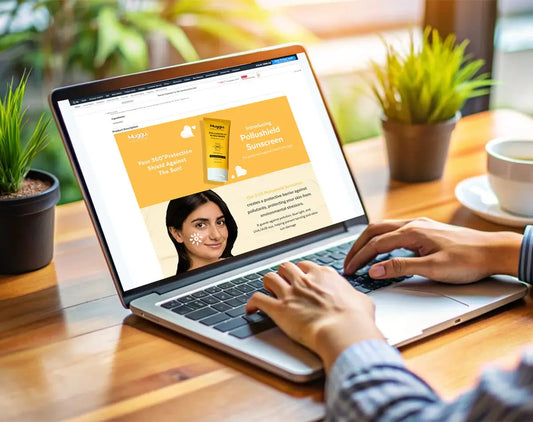
Amazon EBC Design – A Complete Guide
Amazon Enhanced Brand Content (EBC) is a powerful tool that helps your brand stand out on Amazon. With EBC, you can create a more immersive shopping experience for your customers...
Amazon EBC Design – A Complete Guide
Amazon Enhanced Brand Content (EBC) is a powerful tool that helps your brand stand out on Amazon. With EBC, you can create a more immersive shopping experience for your customers by using enhanced images and detailed product descriptions. In this complete guide, we'll walk you through everything you need about Amazon EBC design, from best practices to tips for creating compelling Amazon A+ listing content that drives conversions. So, let's delve into it! What is Amazon A+ Content? Amazon A+ Content is a set of pages that gives customers detailed product information. It Amazon A+ Content is a set of pages that provide customers with detailed product information. This information includes product descriptions, images, videos, comparisons, reviews, and customer questions, helping customers decide which product is best for them. With myriad services, from content writing to marketing, Amazon EBC services can provide a comprehensive plan to help boost your store's revenue and increase customer satisfaction. Benefits of Amazon EBC Services Below, we will discuss the essential benefits of Amazon EBC design and content. Keep reading for details. 1. Increase visibility There are many products on Amazon, and it can be tough for a single item to stand out. Nowadays, Amazon EBC design provides the perfect platform to display products and make them more visible to potential customers. Adding visually appealing graphics and detailed product information to the product page can significantly increase customer engagement and boost sales. 2. Improve customer experience Having detailed information about the products gives consumers confidence when buying. This also indicates that the content clearly demonstrates how the product meets their needs. 3. Expose brand identity While writing Amazon listing content, you can promote your brand name, logo, and key messages. This way, it helps you entice potential customers and express your brand in a vast selection of items. 4. Increase SEO ranking SEO is important for getting your product seen on search engines. A+ Content is a good way to boost your SEO. Adding product-related content with target keywords can help your product appear higher on Amazon search results. Ultimately, it will help you increase your eCommerce store sales. 5. Boost conversion rate Creating quality A+ content can also help increase your sales by improving the conversion rate. This is because customers are more likely to buy a product with more information, such as pictures, diagrams, and specifications. Types of Amazon Enhanced Brand Content Well, Amazon EBC content is in a variety of forms. These include product images, descriptions, comparison tables, videos, and reviews. Each piece of content provides detailed information about the products or items. Let's talk about the Amazon EBC content types in detail! 1. Product images Images are one of the most important features of Amazon Enhanced Brand Content services. They help consumers understand what products look like and tangible representations they want to purchase. The images of the product should be of high quality and display the product's features in detail. 2. Product descriptions Another essential type of A+ content is product descriptions. Vendors can provide consumers with a detailed overview of the products and their important benefits through informative and descriptive copy. This can further help consumers make an informed decision about what actual products sellers offer to them. 3. Comparison tables Feature comparison tables are a great way to compare products with their competitors. This is because they make it easier for consumers to compare different products and make the right decision before purchasing. 4. Product videos Videos are another popular Amazon EBC content. Through videos, vendors and sellers can provide detailed descriptions and demonstrations of a product's features and benefits. This helps potential consumers better understand how it functions and its capabilities. 5. Testimonials Testimonials are a great way to build trust and credibility for a product. Through customer reviews, sellers can provide potential customers with proof that the product works. This can help customers make the best decision about the product and ultimately be more likely to buy it. Best Practices for Amazon A+ Content Amazon A+ content is cost-effective and improves customer satisfaction by providing products with more detailed descriptions, which can lead to more successful purchases. Here, we will discuss the best practices for creating optimal Amazon A+ content and how to start the process right away. So, let's get started! 1. Understand the purpose and benefits of creating Amazon EBC design & content. To sell your products effectively on Amazon, you must provide customers with as much information as possible. This is where A+ Product Content comes in. It's a feature that provides customers with extended product information, like images, videos, and detailed descriptions. A+ content helps customers make better decisions about what to buy. Moreover, it can make your product stand out and create a more engaging shopping experience. This can increase your product's visibility, boost its ranking on Amazon, and ultimately generate more sales. 2. Know your audience. The second important thing is that you should know your target consumers. You can create content according to their requirements and preferences by understanding who your customers are. This means: Knowing their preferred languageProvide detailed information about products, their features, and benefitsAnd even adding reviews of your previous consumers. 3. Follow Amazon EBC content guidelines. Now that you better understand your target customers and the visuals you want to include in your A+ content, it's time to follow Amazon's guidelines for acceptable content. According to Amazon, A+ content must be brief, simple, and free of formatting errors. Only approved images and relevant content are allowed, and all visuals must meet Amazon's quality and size standards. 4. Monitor and optimize A+ content. To ensure your Amazon A+ content works effectively, you need to track how customers respond to it. One way to do this is by checking customer feedback, reviews, and ratings for the product. This will give you an idea of whether or not your A+ content is helping to boost the product's visibility and sales. Conclusion Amazon Enhanced Brand Content services are crucial in enhancing your product listings on Amazon. With the right design elements and strategies, Nivara Commerce can help you elevate your brand, increase sales, and build a loyal customer base. So, take the time to implement these tips and tricks and watch your Amazon sales soar to new heights!
Read More
What Is Request For Proposal (RFP) & How To Wri...
Being a marketer comes with a lot of responsibilities, and managing everything on your own can be challenging. Some tasks are too complex or time-consuming to manage manually, so it's...
What Is Request For Proposal (RFP) & How To Write It?
Being a marketer comes with a lot of responsibilities, and managing everything on your own can be challenging. Some tasks are too complex or time-consuming to manage manually, so it's essential to collaborate with other businesses that provide tools or services to help you work more efficiently. This is where sales copywriting services for drafting a request for proposal (RFP) come in handy, allowing you to attract potential vendors. If you're new to writing an RFP, you might be unsure of where to begin or what to include. This blog post will guide you in creating a successful RFP that will attract responses from the most appropriate vendors. So, let's begin!! What is a Request for Proposal (RFP)? A Request for Proposal (RFP) is a business document that announces a project and solicits bids from qualified contractors to complete it. It describes the organization issuing the RFP, the scope of the project, and the standards for evaluating entries, as well as outlining the bidding process and contract terms. RFPs are typically used for complex projects that involve multiple subcontractors, such as construction, marketing, and government agencies. A well-drafted RFP ensures the success of the resulting solution, and bidders are asked to submit improvements before submitting their proposals. Advantages of Request For Proposal When organizations are looking for potential vendors, they use a formal document called an RFP (request for proposal) to solicit proposals. The RFP process has several benefits for these organizations. Firstly, RFPs help organizations define their requirements for a project. This is essential because it allows vendors to show how to meet those needs. Secondly, RFPs allow organizations to compare different vendors. They can compare factors like pricing and capabilities to decide which vendor is best suited for their needs. Thirdly, RFPs ensure that the selection process is fair and transparent. All vendors have equal access to the RFP and submit proposals based on the same criteria. Lastly, the RFP process can be streamlined by automating tasks such as updating vendor profiles, tracking RFP progress, and calculating proposal scores. This can result in more RFPs, more competitive bids, less errors, and improved sourcing efforts. 7 Essential Sales Copy Writing Steps To Draft a Request For Proposal We have mentioned the essential steps of content copywriting services to start drafting your proposal request here. 1. Describe your project, scope, and budget. Before sending out your RFP, it's essential to first define the projects, scope, and budget. This will provide the basis for your Request for Proposal (RFP) and help you achieve the right balance between being too vague and too detailed. By doing so, potential vendors will better understand your needs, enabling them to tailor their proposals accordingly. It's best to keep the project description simple and easy to understand, avoiding technical terms or industry jargon that may confuse you. A slight variation in this aspect can significantly impact the proposals you receive, ensuring that they align better with your requirements. Here's an example of a proposal: Our agency specializing in eCommerce conversion rate optimization is searching for a CRM system that seamlessly integrates with our current marketing automation software and offers real-time reporting. We require a user-friendly solution that can expand as our customer base grows. Our budget for this project is $40,000. In order to make it simpler for vendors to understand your needs and create a proposal that meets your needs, provide a clear description of the services needed, your budget, and key specifications. Avoid using overly technical language and jargon that might be confusing to vendors. Professional freelance copywriter services or a copywriting agency come in handy here! 2. Provide background and introductory information. Once you have determined your budget and scope, it is time to start creating your RFP. First, you should provide some background information and introductory data about your company. This will give potential partners a better understanding of your current market, business objectives, and existing obstacles. Here are three tips for including this information: Start with a high-level overview of your agency, including your history, mission, vision, and current market position. This will give vendors a better understanding of your business goals and help them tailor their proposals to your organization's values and objectives List the current challenges and opportunities you're facing. This will help vendors understand your specific areas of need and provide new or better options. Ensure that you provide contact information so vendors can submit questions about your RFP. For easy communication, provide an email address, phone number, etc. By providing these details, you can help vendors create a tailored proposal that aligns with your organization's goals. 3. Explain the services you’re looking for. It's time to focus on the services needed to achieve your goals. For example, if you're creating a Shopify website, look for a company with experienced front-end and back-end Shopify developers. If you're developing a mobile app, emphasize the need for skills in responsive design and building applications for multiple mobile platforms. When describing the services you need in an RFP, it's best to use bullet points or break up the information for easy scanning. Here is one example: RFP for sales copywriting services: Our company seeks website content marketing services to create a customized content marketing plan that caters to our target audience. Our aim is to attract and engage potential customers while maintaining our current ones. Our ideal vendor: Has experience in making content in different formats, such as blog posts, social media, infographics, and videos Has experience in SEO optimization, keyword research, and content distribution. 4. Define any obstacles or difficulties to the success of the project. When bidding on a project, it's essential to be open about any obstacles that may arise. This allows potential partners or vendors to offer solutions and have a clear understanding of the project's scope. Not doing so may cause delays, increased costs, or even project failure. It's also crucial to avoid withholding information, as this could create a lack of trust and misaligned expectations between your company and the vendor team. Being transparent about potential barriers to success can increase the chances of finding the right vendor and successfully completing the project. 5. Describe your selection criteria. When creating a request for a proposal, it's essential to include a detailed list of criteria for evaluating proposals. This will give vendors a clear understanding of how they will be assessed and their chances of winning the bid. By sharing your priorities, basic requirements, and preferences, vendors will know what you're looking for and can better position their offerings. For instance, you may prioritize agencies that specialize in content production rather than marketing services. Your basic requirements include the ability to plan and execute social media marketing campaigns, and you may prefer agencies with experience in a particular industry. By being specific, you'll attract the most qualified vendors, making it easier to sort through your options. 6. Set your project’s timeline. When issuing an RFP, it's crucial to communicate your project timeline and deadlines upfront. By providing a clear end date for proposal submission, final selection, and project completion, potential partners can tailor their bids accordingly. This helps to narrow down the pool of vendors and ensures timely completion of the project. A timeline also benefits vendors by providing clear guidance on when the project must be completed so they can plan their resources accordingly. To avoid any delays, vendors can communicate the necessary deadlines to their teams. Keep in mind that the timeline will vary depending on your RFP's format and your target vendors' industries. 7. Proofread your RFP thoroughly. It is crucial to proofread your RFP thoroughly before sending it out to potential vendors. Even small errors can cause project delays and require a complete restart of the RFP process. The incorrect details can make it difficult to receive a high response rate from vendors. Once you have ensured that your RFP is accurate and complete, it is time to send it out and start the process of finding the best-fit provider. To simplify the process, consider using proposal software to manage and publish responses to your RFP. By following these essential points, you can create your own RFP template and start accepting bids from vendors. Conclusion An RFP is a document that outlines a project and is used by both the company issuing it and the companies responding to it. A clear and well-written RFP conveys the purpose of the proposal and ensures that the final outcome will meet expectations. Additionally, it promotes a fair and open process by allowing multiple bidders to respond and providing the organization with the opportunity to review different approaches and prices before selecting the one that best suits their needs.
Read More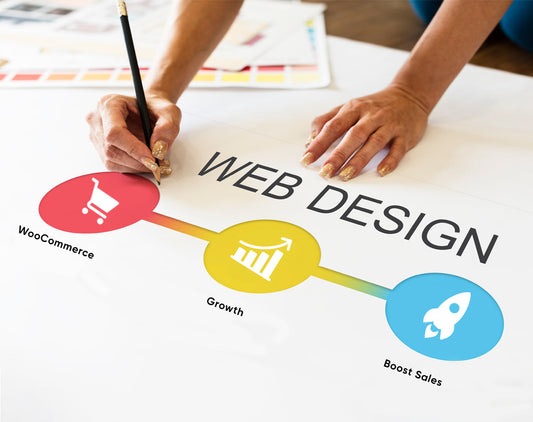
6 WooCommerce Web Design Tips To Boost Sales
In today's competitive marketplace, an online presence is essential for any business, and a well-designed WooCommerce website can make all the difference in boosting sales. With so many options available,...
6 WooCommerce Web Design Tips To Boost Sales
In today's competitive marketplace, an online presence is essential for any business, and a well-designed WooCommerce website can make all the difference in boosting sales. With so many options available, it's easy to get overwhelmed. In this blog, we will discuss some effective WooCommerce web design tips to help you enhance the user experience and boost sales to your online store. Collaborating with a web design company can be a great step in this direction. So, let's begin! Why Is WooCommerce A Popular Choice For eCommerce Websites? WooCommerce is a popular choice for e-commerce websites for several reasons. Here are some of them: Easy to use: WooCommerce is a user-friendly platform that is easy to set up and use, even for those without technical knowledge. Flexible: The platform is highly flexible, and you can customize it per your business needs. Cost-effective: This is an open-source platform, which means that it's free to use and only requires payment for additional features. Integration: The platform integrates simply with WordPress and other tools, making it easy to handle and scale eCommerce operations. Scalability: WooCommerce can handle stores of all sizes, from small to large enterprises, making it a perfect choice for e-commerce websites. All in all, WooCommerce offers many features and benefits that make it a popular option for businesses that want to start or grow their eCommerce stores. Mastering WooCommerce Web Design With A Web Design Company: 6 Expert Tips to Skyrocket Your Sales As we know, WooCommerce is one of the most popular eCommerce platforms. It is a great option if you want to sell your products online. However, simply having a WooCommerce website is not enough to attract customers and drive sales. To succeed in eCommerce, you need to master WooCommerce web design. A web design company can provide the expertise needed to enhance your site's design. Here, we will walk you through the five expert tips that will help you skyrocket your sales. Keep reading to know about them! 1. Use Product Images And Videos Selling products and services online has its advantages. As you know, customers can buy what they need from the comfort of their homes. However, some people hesitate to purchase products they can't touch. To overcome this, you can showcase high-quality pictures and videos of your products in your WooCommerce online store. Doing so will attract visitors and convince them to buy from you. Ensure your store design allows customers to zoom in on images with just a click. You can also add videos to your WooCommerce site to show your products from different angles. A professional web design company can help you integrate these features seamlessly. Moreover, plugins, like Yith, are available that can help you include video and audio files on your WooCommerce website. 2. Write Compelling Product Descriptions Another important thing you need to do to boost your eCommerce store sales is to write eye-catching and compelling product descriptions. This will allow you to highlight your product features and benefits and entice various consumers to purchase from you. Here are some important things that you need to keep in mind while writing descriptions for your products: Add Keywords Make sure that your product descriptions are original, and also add relevant keywords. Doing so will improve the visibility of your product pages in search results. Well, it is important to assist search engines in understanding their content. This helps potential customers find your site when they search for similar products. However, using keywords naturally and avoiding overusing them is crucial, as this can damage your SEO. Provide product information in detail Like other marketing efforts, product descriptions are effective when they provide useful information to your audience. Simply put, by providing sufficient information, search engines are more likely to display your product pages when users search for related products, boosting your WooCommerce sales. 3. Create a Customized Look Some customers are adept at choosing their preferred products, especially when it comes to the diverse styles and combinations available. Fortunately, you can use this as an advantage. Here is one example: If someone is looking for a dress or jeans, you can suggest shoes or sandals and even persuade them how perfect they will look together. When displaying such options, your customers can buy more than one product. However, by adding cross-selling features, you can boost your eCommerce store sales and provide your customers with the best shopping experience. A web design agency can help create these customized features. 4. Simplify Your Checkout Process The checkout process is a critical part of your sales funnel. A complicated or confusing checkout process can lead to cart abandonment and lost sales. To simplify your checkout process, follow these essential tips: Use a one-page checkout: Reduce the number of steps in the process by using a one-page checkout. Offer guest checkout: Not every person wants to create an account. Offer a guest checkout option to improve the user experience. Use clear, concise language: Use simple and clear language for instructions and form fields. 5. Make your WooCommerce Site Mobile Friendly As mobile usage rises, optimizing your WooCommerce store for mobile is crucial. A mobile-friendly website design will increase conversion rates and sales by making purchasing on smartphones and tablets easy. Importance of mobile optimization: Mobile optimization is essential if you want to increase your eCommerce store sales. Here are some reasons why it is important: Growing mobile usage: With the increase in mobile device usage for online browsing and shopping, it's crucial to cater to this audience. Higher conversion rates: A responsive, mobile-friendly website can boost conversion rates by simplifying the checkout process and enhancing user experience. Improved search engine rankings: Optimizing for mobile can improve your store's visibility to attract organic traffic, as Google prioritizes mobile-friendly sites in search results. 6. Optimize Your Site Speed Loading speed is one of the most crucial factors. If your WooCommerce website loads slowly, people might leave. To avoid such problems, you must remove unnecessary tools, designs, and functions from your site. A web design company can help optimize your site speed effectively. Conclusion Mastering WooCommerce web design is critical for the success of your eCommerce business. By simplifying the checkout process, optimizing your site speed, creating a customized look, writing perfect product descriptions, etc., you can skyrocket your sales and build a thriving online business. Partnering with web design services can ensure your WooCommerce site is optimized for maximum performance and sales.
Read More
Landing Page Conversion Rate Optimization: Best...
In this crowded digital landscape, capturing the attention of your visitors and converting them into customers is no easy feat. That's where landing page optimization comes into play. A well-optimized...
Landing Page Conversion Rate Optimization: Best Tips
In this crowded digital landscape, capturing the attention of your visitors and converting them into customers is no easy feat. That's where landing page optimization comes into play. A well-optimized landing page can work wonders for your business, boosting conversions and driving revenue. But how do you ensure that your landing page stands out? In this write-up, we will explore the best tips and strategies to optimize your landing page conversion rate. So, get ready to unlock the secrets of creating high-converting landing pages that leave a lasting impression on your audience. Understand Landing Page Optimization It is the process of improving the elements on a webpage to boost the likelihood of a user taking some action, such as making a purchase or filling out a form. This can include optimizing the landing page’s design, layout, content, and overall user experience. The goal is to increase the page’s conversion rate and drive more sales. Advantages Of Optimizing Landing Page The landing page helps you to provide multiple benefits. Here, we will mention three benefits of optimizing a landing page that you should know about. So, let’s know about them! Improved User Experience:Optimizing landing pages with relevant, well-structured content and interactions leads to satisfying user experiences. Get High Conversion Rate Optimization: LPO ensures that your landing page achieves the highest possible eCommerce conversion rate optimization, which is reflected in sales or lead generation for the visitors who arrive on that page. Lower Customer Acquisition Costs: By optimizing the user experience for targeted visitors, LPO can reduce CPC (Cost per click) and CAC (Customer Acquisition Cost). Tips To Increase Landing Page Optimization Try the below tips to increase your landing page conversion rates. Keep reading to know about them: 1. Improve SEO Improving SEO is one of the essential best practices for landing page optimization. This is because internet users frequently discover landing pages through organic searches, and landing pages play a crucial role in driving conversion events in your digital marketing strategies. Therefore, it’s essential to rank your page for brand-related and industry-related keywords to get conversions through your landing page. For example, if you search on Google for the best indoor plants, “popular house plants” might be the first organic result. You need to plan a comprehensive keyword strategy to rank on the first page of Google for valuable keywords related to indoor plants. 2. Do A/B Testing Every little thing on your landing page may impact its conversion rates. This is why you must test your landing page as soon as possible. Doing so lets you quickly know what’s working and what’s not on your landing page. 3. Focus On One Call to Action (CTA) Another essential tip to increase landing page optimization is to include a call-to-action button. The main aim of a landing page is to convince visitors to take the desired action. After visiting your landing page, they need to know what to do next. This is where the call-to-action guides them about the next step, presented most effectively. 4. Make Your Landing Page Simple Many individuals take a few seconds to determine whether they will stay while visiting your website. This is why you need to add multimedia elements to your landing page. Remember that your landing page must be visually appealing. Always go for a simple and clean design landing page. Also, add some additional features. 5. Optimize Landing Page For Mobile Nowadays, people spend more time accessing the internet on their mobile devices rather than desktops. This is why you need to optimize your landing page for mobile devices; otherwise, you will lose significant traffic. All in all, a mobile-friendly landing page can increase conversion rates up to 12-13%. 6. Display Social Proofs When you optimize your landing page for mobile devices, the next step is to add social proof. Social proof is the phenomenon of people following the actions of others. Here are some social proofs that you can add to increase landing page optimization: Add your customer’s reviews and testimonials Include social sharing buttons Add case studies Such social proofs convince people to sign up and buy something from your sites. 7. Write a Short & Smart Landing Page Body Copy Web users review pages instead of reading them thoroughly. Consequently, landing pages with a high word count tend to have lower conversion rates. So, it is essential for you to write an eye-catching copy and don’t overdo it. Your landing page body copy should: Allow consumers to feel the value of your offer in a few seconds. Ensure your text is easy to read, neat, and visually appealing with ample whitespace. Identify the issues or concerns that customers may be experiencing. 8. Add Contact Information You can provide your contact information to your visitors in multiple ways. For instance: You can add a phone number or email address to your landing page. Or, you can add a contact form. Or, add some links to your help centers. Conclusion Landing page optimization is crucial for the success of your online business. The above-mentioned tips can significantly improve your conversion rate and attract more qualified leads. Also, remember to improve SEO, incorporate strong call-to-action buttons, and add unique body copy. Regularly test and analyze your landing page to identify areas for improvement and refine your strategy. With these best practices in place, you’ll be well on your way to boosting your conversion rate and achieving your business goals. So don’t wait; start implementing these tips today and watch your conversion rate soar! We hope you enjoyed reading this blog. Stay tuned for more.
Read More
A Complete Guide to Shopify Conversion Rate Opt...
If you're a Shopify store owner looking to boost sales and maximize revenue, you're in the right place. In this guide, we will walk you through the essential strategies, tips,...
A Complete Guide to Shopify Conversion Rate Optimization
If you're a Shopify store owner looking to boost sales and maximize revenue, you're in the right place. In this guide, we will walk you through the essential strategies, tips, and best practices to optimize your store's Shopify B2B Conversion rate optimization. From optimizing your website design and user experience to implementing effective marketing techniques, we've got you covered. So, get ready to take your Shopify store to the highest level and achieve higher conversion rates! What Is Shopify B2B Conversion Rate Optimization? Conversion rate optimization (CRO) is the process of enhancing the effectiveness of an eCommerce website in persuading customers to take a particular action, usually making a purchase. It involves driving more people through the site and into the sales funnel, ultimately leading to a sale. In simpler terms, CRO analyzes your website to determine what works and what does not. This helps you make necessary changes to increase the chances of a visitor buying something or engaging with your site. Various factors can affect the conversion rate. These include the content on the homepage and individual pages, design, and the overall user experience. For Shopify store owners, CRO entails optimizing the user experience, product pages, and marketing strategies to increase the likelihood of visitors becoming customers. Focusing on CRO can improve your website's conversion rate, increasing revenue and profitability. So, if you need assistance with your online shopify store, contact Nivara Commerce today - we’re a reputed CRO agency! Shopify B2B Conversion Rate Optimization typically includes: Understanding the target customer Improving website performance Implementing conversion-boosting strategies Analyzing user data regularly to optimize the conversion rate Why Is Shopify B2B Conversion Rate Optimization Important? Here, we'll discuss why optimizing your Shopify store's conversion rate is essential. Keep scrolling for details. 1. Increases revenue and profitability A high conversion rate on your online store is crucial for any business, but it's even more essential for eCommerce stores. When your store has a higher conversion rate, you generate more revenue and expand your business. An excellent website and product are not enough to guarantee conversions to your Shopify store. You must endeavor to optimize your site and enhance its conversion rate in every possible way. 2. Improves customer experience and reduces bounce rate To increase your Shopify B2B conversion rate, you need to convince your customers to purchase more products from you. This can be achieved by building their trust in your brand. The key to achieving this is enhancing the customer experience. A site that loads slowly, has too many advertisements or has poor navigation may discourage customers from purchasing. In contrast, a website that loads quickly, is user-friendly and has a clean design will inspire trust in customers and increase sales. RELATED: Impact of Site Navigation on Conversion Rate Boosts customers acquisition Conversion rate optimization improves your eCommerce website's performance by systematically testing different versions using data and analytics to meet predefined goals. When you optimize your website, you are making it easier for users to make purchases. This will be achieved by enhancing the quality of your product descriptions and images, making all necessary information easily accessible, and minimizing the number of steps required to purchase. By optimizing your online store, you can expect a boost in sales, which helps increase your customer base with each new product listing. Increase marketing efforts As a business owner, you want to make the most out of your marketing strategies. The ultimate goal is to ensure that every visitor who lands on your website makes a purchase. Otherwise, all the effort to create the perfect ad, email marketing campaigns, or build a strong social media presence would be in vain. However, optimizing your store's conversion rates ensures your marketing efforts are worth it. This helps keep your customers satisfied, returning for more and spending more on each visit. 5 Essential Tips to Increase Shopify B2B Conversion Rate Optimization Below are some essential tips that help you to increase your shopify store conversion rate optimization: 1. A/B testing Testing is one of the critical factors in increasing Shopify B2B Conversion rate optimization. A/B testing usually compares two versions of a single element on a website to determine which performs better. There are many ways to run A/B testing. For instance, running an A/B test for a product landing page could show Version A to 50% of visitors and Version B to the other half. Then, you can track the number of purchases made from each version to compare their conversion rates. If Version B has a higher conversion rate than Version A, it's safe to conclude that it is more effective at converting traffic into sales. If you want to learn more about A/B testing, check out our blog on What is A/B Testing and Why Is It Powerful? 2. Simplifying your checkout process When it comes to online shopping, one of the key reasons people abandon their carts is due to confusion caused by the number of steps required to complete an order. This confusion is even more pronounced on mobile devices with smaller screens and less space than laptops and desktops. If you want to ensure that your customers complete their orders, it's essential to simplify your checkout process and eliminate any unnecessary steps. The more steps involved, the more likely customers will become frustrated and abandon their cart, never to return. 3. Using social proof & trust signals Social proof refers to any visual cue that indicates to potential customers that others have purchased a product. On the other hand, trust signals are focused on instilling confidence in customers regarding their purchase decisions. For instance, when shopping for a new pair of shoes, a customer may want to view feedback from other buyers who have purchased the same shoes. This helps them to be certain that they are getting a good deal and that others are content with their purchase. By incorporating social proof and trust signals, you can effectively build trust with your customers, and it is a straightforward procedure to implement in your Shopify store. 4. Prioritizing mobile optimization Mobile optimization is crucial for improving your Shopify store's conversion rate. You can either build your mobile site or opt for a third-party solution. The latter option is more expensive but easier to use, while the former is cheaper but requires more work. 5. Optimizing your website speed Your Shopify store's loading speed directly impacts its conversion rate. When your eCommerce site is slow to load, it can frustrate people and lead to them leaving without purchasing. Conversely, when your store loads quickly, it provides an exceptional experience that encourages users to stay and explore. It's essential to optimize your site's speed to maximize your chances of converting visitors into consumers. Optimizing your website speed can be a simple process. Here are some tips to help you get started: Compress and optimize images Choose a fast and responsive theme Implement Accelerated Mobile Pages (AMP) Use lazy loading for images Fix broken links Analyze web page performance with Google PageSpeed Reduce the number of redirects Minimize the use of unnecessary apps. Conclusion Optimizing the conversion rate on your eCommerce store is crucial for maximizing your online sales and growing your business. Using the strategies and techniques mentioned in this guide can effectively increase your Shopify B2B Conversion rate optimization and drive more sales. It is essential to continuously analyze and test your marketing efforts to stay ahead of competitors and identify improvement areas. By optimizing your Shopify store, you can improve the user experience and increase your online revenue. Looking for conversion rate optimization services? Your search ends here. Contact us. For more such blogs, keep following us.
Read More
5 Easy Steps To Set Up A Popup On Shopify
Setting up a popup on Shopify can be a highly effective way to drive more sales and grow your customer base. Popups can promote discounts, encourage newsletter sign-ups, or showcase...
5 Easy Steps To Set Up A Popup On Shopify
Setting up a popup on Shopify can be a highly effective way to drive more sales and grow your customer base. Popups can promote discounts, encourage newsletter sign-ups, or showcase new products. They are attention-grabbing and can help you capture the interest of potential customers who might otherwise navigate away from your website. In this blog, we'll explain the five easy steps to setting up a popup on Shopify. Whether you're a seasoned Shopify user or just getting started, these Shopify help tips will let you create a successful popup campaign. Let's get started!! What is a popup? A popup is a sudden window that appears on a website while the user is browsing. It can contain notifications, coupons, discount codes, countdown timers, surveys, and spin-to-win wheels. Popups can be useful for promoting content, converting more website visitors, and sharing information about errors, notifications, events, promotions, and sales. Shopify Help: 5 Steps To Add A Popup 1. Create a popup Install the best Popup app from the Shopify app store, such as Omnisend, EcomSend Popups, Email Popups, etc. These apps provide a library of popup templates that you can edit and use in seconds. To avoid feeling overwhelmed by the many pre-made models available, choose one that meets your specific needs and open up the editor. You have three major types to pick from: Shopify Newsletter Popup Promoting newsletter sign-ups at every point of the customer's journey is beneficial. Shopify Email Popup Instead of enticing consumers to join your revolving newsletter, attract them to share their contact details in exchange for a great deal. Adding customers to your contact list can offer them a discount through their inbox. This benefits both parties, resulting in an actual win-win situation. Shopify Exit-Intent Popup Attract your visitors with irresistible offers they wouldn't want to miss out on. Reduce bounce rates and provide a pleasant experience by using exit popups that offer value. 2. Select a theme Choosing a pre-made template is easy, but creating a popup that Shopify users will want to read is a different story. The first step is to select the layout. For example, decide where you want the background image to be and where the content blocks should be placed. These will influence the rest of the design process. 3. Write your content When creating a popup window for your Shopify store, aim to captivate your audience, provide relevant and enjoyable information, and encourage them to complete their purchase and receive the order confirmation email. For this, you can choose the website content writing services. After launching your eCommerce website, it's essential to learn how to write compelling popup copy. Investing time in your agency is worthwhile. Would you like some suggestions on how to improve your popup copy? Shopify Help Tips to Improve Your Popup Copy To create effective call-to-actions (CTAs) for your popups, use clear and straightforward phrases like 'Sign Up Now' or 'Get My Deal.' Use language that reflects your brand's personality and allows customers to connect with it on a personal level. Additionally, it's helpful to include numbers that provide social proof, like showing the number of current subscribers or adding a list of positive reviews or discount offers. 4. Add the design Once your content is written, the next step is to determine how it will appear to the audience and visitors. The theming stage is ideal for integrating your brand colors when customizing your brand. You can modify the following: Overlay Update colors Adjust box position Edit button styling These options are available in the popup form stage (what your customer sees) and the success stage (what they see after following through). To maintain consistency, you can effortlessly switch between these two perspectives. Update your settings Once you have updated your settings and confirmed that your written content is good to go, tap Save and Edit or Enable to add a popup on your Shopify website. 4 Advantages When Using Shopify Popup Here, we have mentioned the essential advantages of popups that you should know. 1. Popups help you to create your email list. Making sales can be complex and time-consuming. It's not common for customers to purchase after their initial website visit. You can use email marketing to stay engaged with them and maintain their interest. Usually, you will come across various offers and popups that collect users' email addresses. This will help you persuade people to subscribe to your newsletter and stay in touch with them later on. 2. Popups allow you to sell more. Do you have an eCommerce Shopify website and want to drive more sales? If yes, popups can help you to improve your sales. For instance: You can use the popup when someone leaves your site (exit-intent popup). In such a popup, you can offer your consumers discounts, free shipping, and more. This increases the chance of converting more leads into consumers. Secondly, with your existing consumers, you can utilize marketing analysis to collect insights about your consumers' behavior on your eCommerce site. This way, you can promote additional products or services to your customers by using popups for cross-selling and upselling. 3. Popups reduce cart abandonment rates. When customers exit a website, they may see a popup with a countdown. This is an example of "scarcity marketing," which encourages the customer to take action and click the CTA button. After clicking, they will receive a discount code. Sometimes, the code and CTA are displayed in the same web popup, but the countdown is a critical element. If you include the discount code in the popup, it still works the same way but with fewer steps for the customer. The code is only valid if used before the countdown ends. The incentive to buy can be a discount on the current or next purchase or free shipping. Web popups can help reduce cart abandonment, which occurs in 70% of eCommerce cases. Popups can be leveraged for customer feedback. Customer feedback popups require consumers to answer a few multiple-choice questions. The questions can be single or directly related to their buying experience or support chat system. These types of popups can be used as a survey after customer service chats or on product/support pages. You can also collect exit feedback by placing the feedback popup on the "Cancel" button. It's essential to place the popup in a way that keeps the customer's experience intact. Always remember not to overwhelm them with too many survey questions, which could lead them to leave the website. Conclusion Setting up a popup on Shopify can be a valuable tool for businesses to boost conversions and generate leads. After going through the above-mentioned points, such as selecting or creating a popup template, setting a theme, writing persuasive content, adding design elements incorporating brand colors, etc., businesses can successfully implement popups on their Shopify store. Different types of popups, such as Shopify newsletter, exit intent, and email popups, can be chosen based on the business's goals. Shopify popup apps like Omnisend and Wisepops offer beginner-friendly solutions that can help companies achieve their desired results. All in all, with the right strategy and execution, setting up a popup on Shopify can be a game-changer for any business searching to increase its online presence. Need Shopify help? Reach out to us at Nivara Commerce. Our Shopify experts will help you in every way possible.
Read More
Ankush Singh
FOUNDER, NIVARA COMMERCE
More Profit From The Traffic You Already Have.
We find the leaks.
I’ve audited 200+ Shopify stores in the last two years. Most didn’t need a redesign. They needed a better offer and fewer reasons not to buy.
We build the fix.
No report sitting in a folder. We design it, build it in your Shopify store and launch it.
We show you the profit.
Every change is measured against your baseline, so you see what it made you.
That's how I work, and that's how Nivara Commerce works.
Ankush Singh, Founder
No measurable lift in 45 days? You don't pay the rest.